


Here’s a quick guide on how to use the First In, First Out (FIFO) feature with SimpleFX WebTrader.
Under First In, First Out mode when you have an open BUY on an instrument and then open a SELL position on the same instrument, the trading system will automatically close a BUY position of the equal size of your SELL position.
If you’d like to have both SELL and BUY positions open simultaneously you need to turn off FIFO option.
You turn on and off the FIFO mode with the radio button in the top left corner of the app.
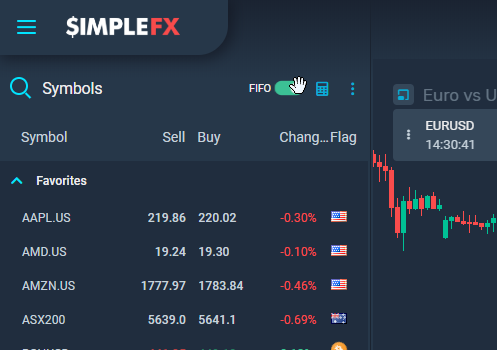
If it sounds complicated, let me give you an example of how it works.
First, I’m trading EURUSD with FIFO option on
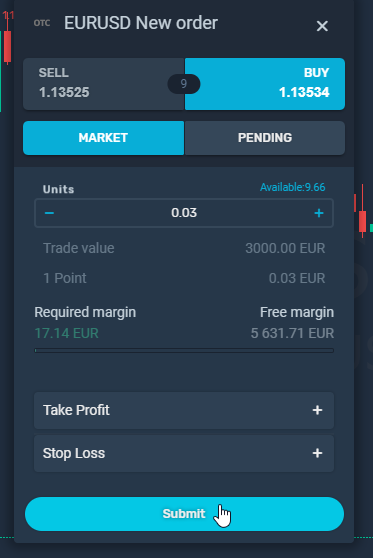
- I open a BUY order for 0.03 lot of EURUSD.
- Then I open a SELL order for 0.01 lot of EURUSD.
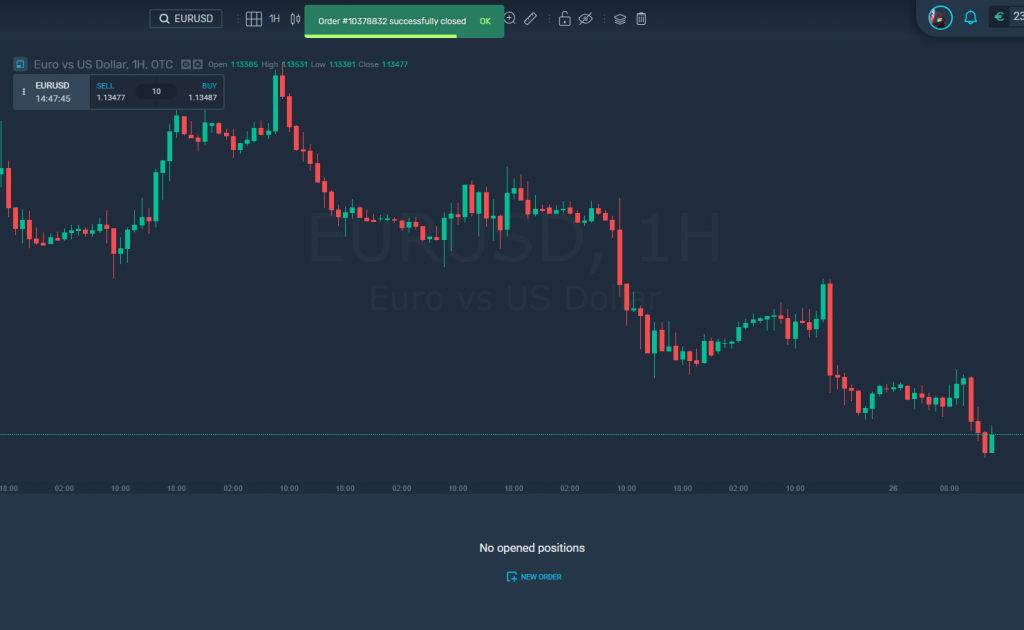
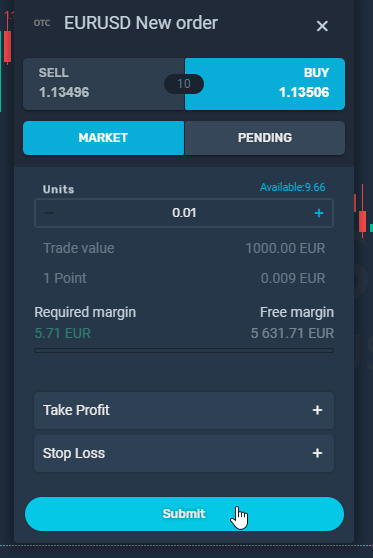 The moment I do it, the SELL order is immediately closed, and the BUY order for 0.02 lot of EURUSD is left on my account.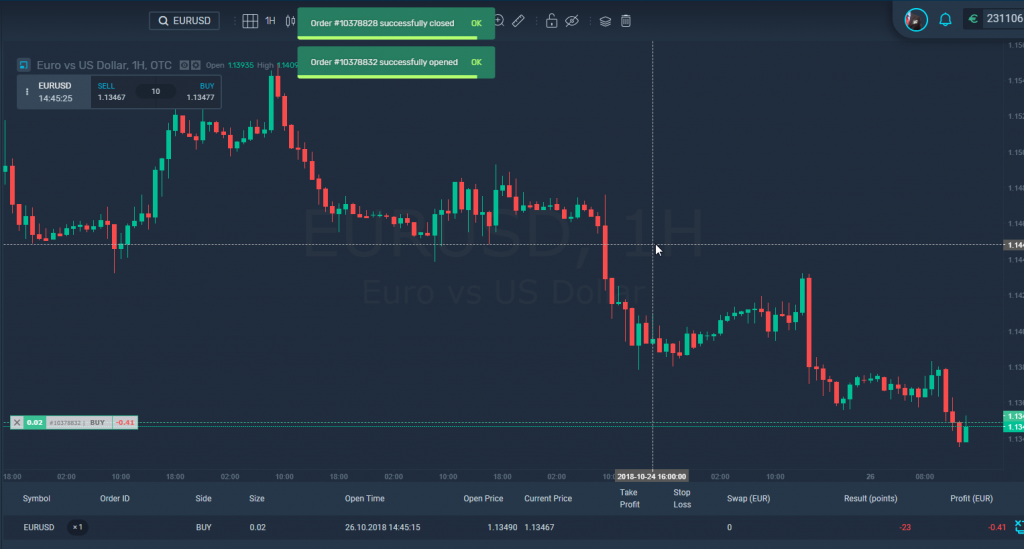
- Opening another SELL order for 0.02 lot on EURUSD will automatically close the BUY position leaving me without any open positions.
Now, lets do the same with FIFO off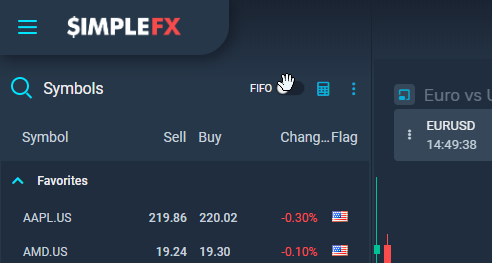
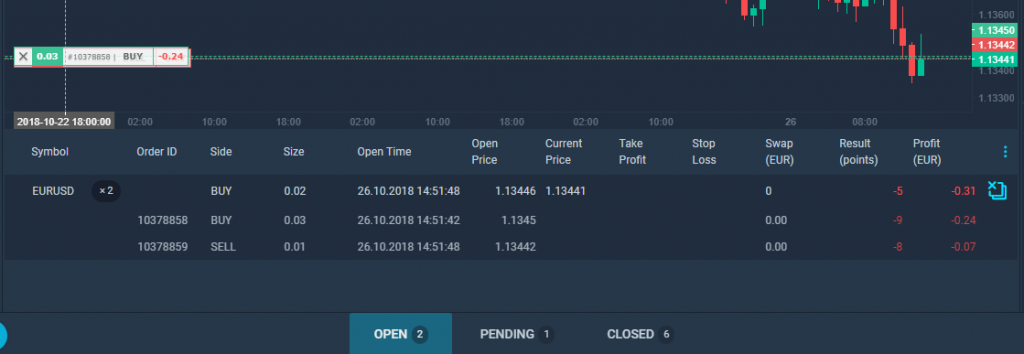
- I openBUY order for 0.03 lot of EURUSD.
- Then I open SELL order for 0.01 lot of EURUSD.
- The WebTrader shows the net size of my position, which is 0.02 lots, however, both orders are still open. I can see it clicking the “*2” (times two) label near the symbol. I can also view the order labels on the chart: two green for BUY orders and one red for a SELL order.
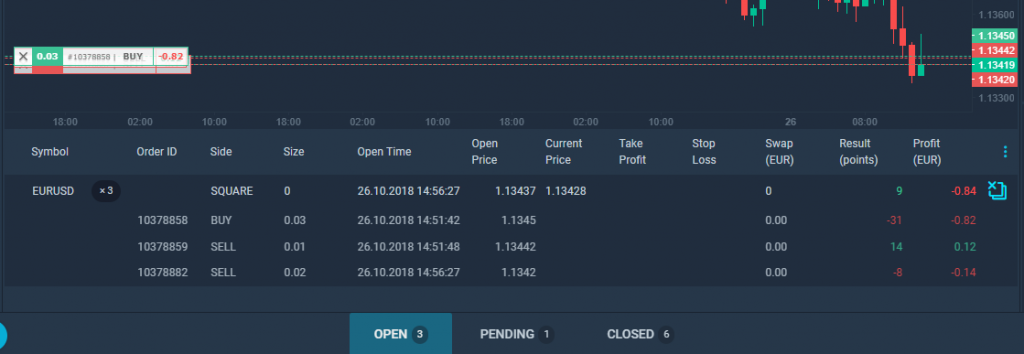
- Now if I open another 0.02 lot SELL order, my position size will be “0” and my side on the instrument will be described as SQUARE. However, if I take a look at the details of the position, I will see that all four orders are still open.
I hope everything’s clear now. If you have any questions don’t hesitate to ask us on the in-app chat after you log into SimpleFX WebTrader.
When using FIFO your oldest asset is used first. As you are closing the old positions, your prices are more up to date. This method helps to keep your orders organized. However, if you want to hedge by diversifying the prices of your orders, turn FIFO off.
