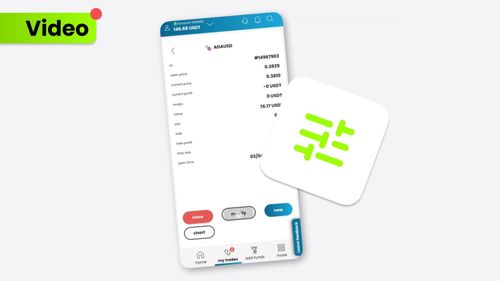
Closing a trade on the SimpleFX App is as easy as pie. Follow these steps to gracefully exit your position:
บทความที่เกี่ยวข้อง
How to Clear Your Browser’s Cache (Chrome, Firefox, Safari)
We’ve updated our SimpleFX WebTrader. To use the new fixed version of the app yo...
โดย SIMPLEFX - เมษายน 23, 2026
ซื้อขายอย่างไร?
Take the very first step in your trading adventure by opening a market order. Pl...
โดย SIMPLEFX - ตุลาคม 17, 2023
จะปิดคำสั่งซื้อได้อย่างไร?
Learn more about closing orders on the SimpleFX mobile app. It’s up to you wheth...
โดย SIMPLEFX - ตุลาคม 17, 2023
วิธีใช้การซื้อขายด้วยคลิกเดียว?
Trade even faster with the Quick Trading feature on the SimpleFX platform. Our g...
โดย SIMPLEFX - ตุลาคม 17, 2023
อธิบายเข้าก่อนออกก่อน (FIFO)
FIFO makes the trading experience even smoother. Discover how to pick the First ...
โดย SIMPLEFX - ตุลาคม 17, 2023
วิธีใช้เครื่องคำนวณการเทรด?
The Trade Calculator provides a complex view of your trading experience. This us...
โดย SIMPLEFX - ตุลาคม 17, 2023
จะหาศูนย์ช่วยเหลือได้ที่ไหน?
If you ever need assistance or have questions while using the SimpleFX App, the ...
โดย SIMPLEFX - ตุลาคม 5, 2023
จะแก้ไขการซื้อขายที่เปิดและรอดำเนินการได้อย่างไร?
Modifying your trades on the SimpleFX App is a breeze. Follow these steps to mak...
โดย SIMPLEFX - ตุลาคม 5, 2023
วิธีการเปิดการค้า?
Trading on the SimpleFX App is straightforward and user-friendly. Follow these s...
โดย SIMPLEFX - ตุลาคม 5, 2023
จะเปลี่ยนไปใช้บัญชีจริงจากบัญชีทดลองได้อย่างไร?
Switching from a Demo Account to a Live Account on the SimpleFX App is a breeze!...
โดย SIMPLEFX - ตุลาคม 5, 2023
×
ทิมิ AI