Close Menu
SimpleFX BlogSimpleFX Blog
    Facebook X (Twitter) Instagram
    Sunday, January 18
    Facebook X (Twitter) LinkedIn Telegram YouTube
    SimpleFX BlogSimpleFX Blog
    Banner
    • Home
    • News
    • Tutorials
    • Updates
    • Trading Academy
    • Trading Schedule
    SimpleFX BlogSimpleFX Blog
    Home » How to Make a Deposit with SimpleFX
    Tutorials

    How to Make a Deposit with SimpleFX

    Zach WrightBy Zach WrightNovember 15, 2018Updated:November 19, 2018No Comments2 Mins Read
    Facebook Twitter Pinterest LinkedIn Tumblr Email Telegram Copy Link

    First, you need to own an account in the currency you want to deposit. If you do not have one, you can add new currency account to your existing SimpleFX profile.

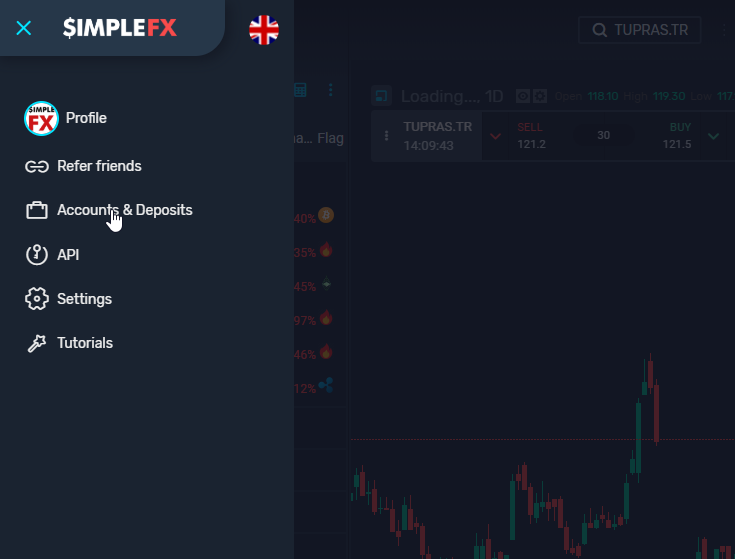
    In order to do that, click on the menu icon in and choose “Accounts & Deposits”.
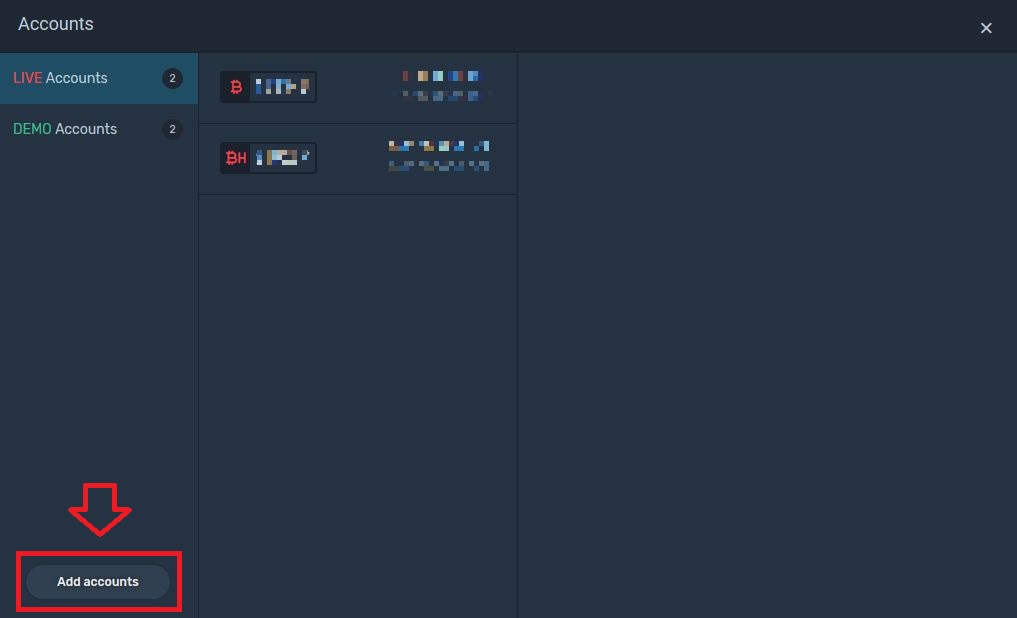
    Click  “Add accounts” button.
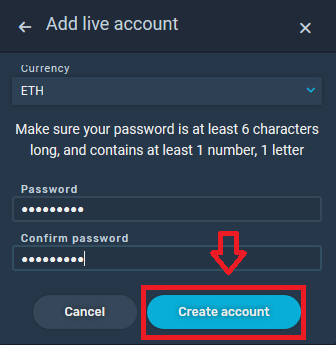
    Next, choose a live account and the desired currency, set up a password and click on the “Create account” button.
    Your new account is now ready to use. To trade with real money, you need to make a deposit.

    Making a deposit

    Go back to “Accounts & Deposits” and choose the live account you want to send money to.

    I will use my new ETH account as an example. To make a deposit, click on “Add funds”.
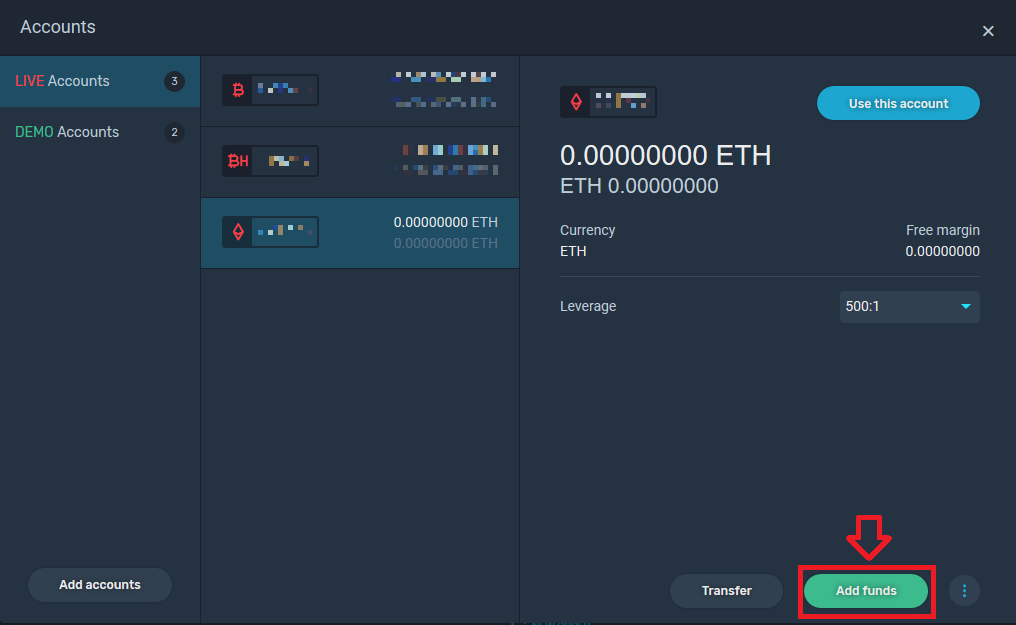
    Please note, that you can only make a deposit in the account’s currency. I choose the Ethereum payment method and click the “Deposit” button.
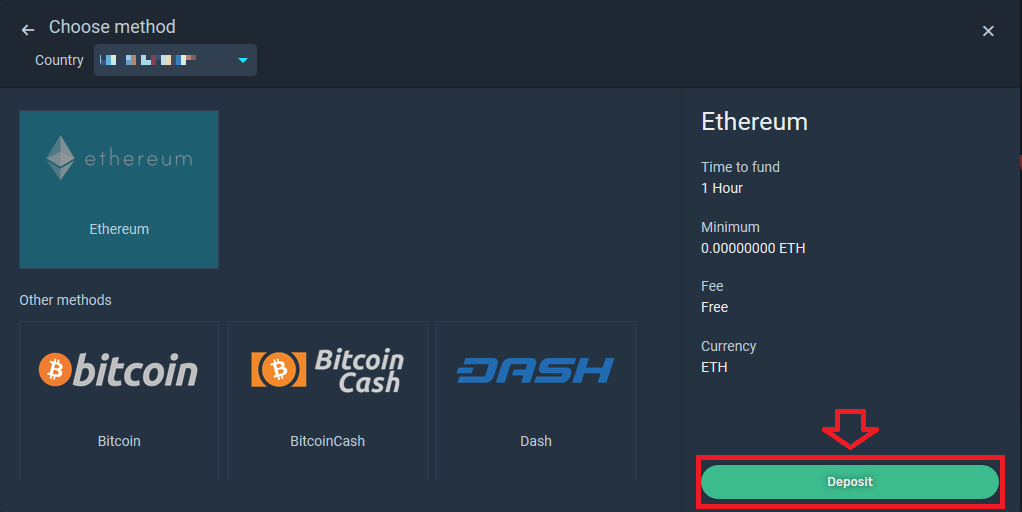
    If you choose a fiat money transfer service, you will be redirected to the provider. I choose a cryptocurrency transfer service and SimpleFX WebTrader shows me a ready-to-copy address and a QR code.
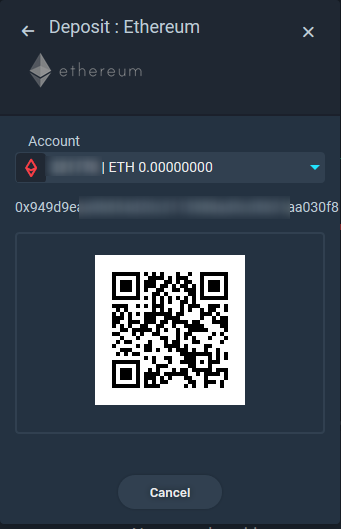
    Once your transaction gets a required number of confirmations from the network, the amount will be credited to your account. Sometimes it takes several minutes, it might take up to one hour.

    Fiat currency deposits, on the other hand, are instant.


    beginners deposits
    Share. Facebook Twitter Pinterest LinkedIn Tumblr Email Telegram Copy Link
    Previous ArticleEssential Online Tools for Your Cryptocurrency Taxes
    Next Article SimpleFX WebTrader Dashboard Overview
    Zach Wright

    Related Posts

    Introducing credit card deposit on SimpleFX!

    November 28, 2024

    Maximize Your Affiliate Profitability with SimpleFX’s New Affiliate Dashboard Component

    June 7, 2023

    Track Your Traffic. New Feature For SimpleFX Affiliates

    May 24, 2023
    Leave Us a Review
    Review us on
    App Store
    Google Play
    Copyright © 2014 - 2025. 8Tech SVG Ltd (formerly SimpleFX Ltd) with registration number 22361 BC 2014 with registered address at Beachmont Business Centre, Suite 404, Kingstown VC0100, Saint Vincent and the Grenadines
    • SimpleFX WebTrader
    • Unilink Affiliate Tracker

    Type above and press Enter to search. Press Esc to cancel.