


SimpleFX is one of the leading global trading apps with cryptocurrency accounts. We have been in business since 2014 and have established a strong brand for over eight years.
Since the invention of Bitcoin, scammers have always wanted to trick users into sending tokens to their wallets. They are always targeting users of the most popular crypto platforms.
We have noticed that there are fraudsters who also try to deceive users by pretending they are SimpleFX representatives. Fortunately, it’s very easy to protect yourself against them. Here’s how to do it.
1. We accept deposits only through our WebTrader and Mobile Apps
That’s the most important rule you need to follow.
How to deposit with SimpleFX WebTrader
- Go to app.simplefx.com
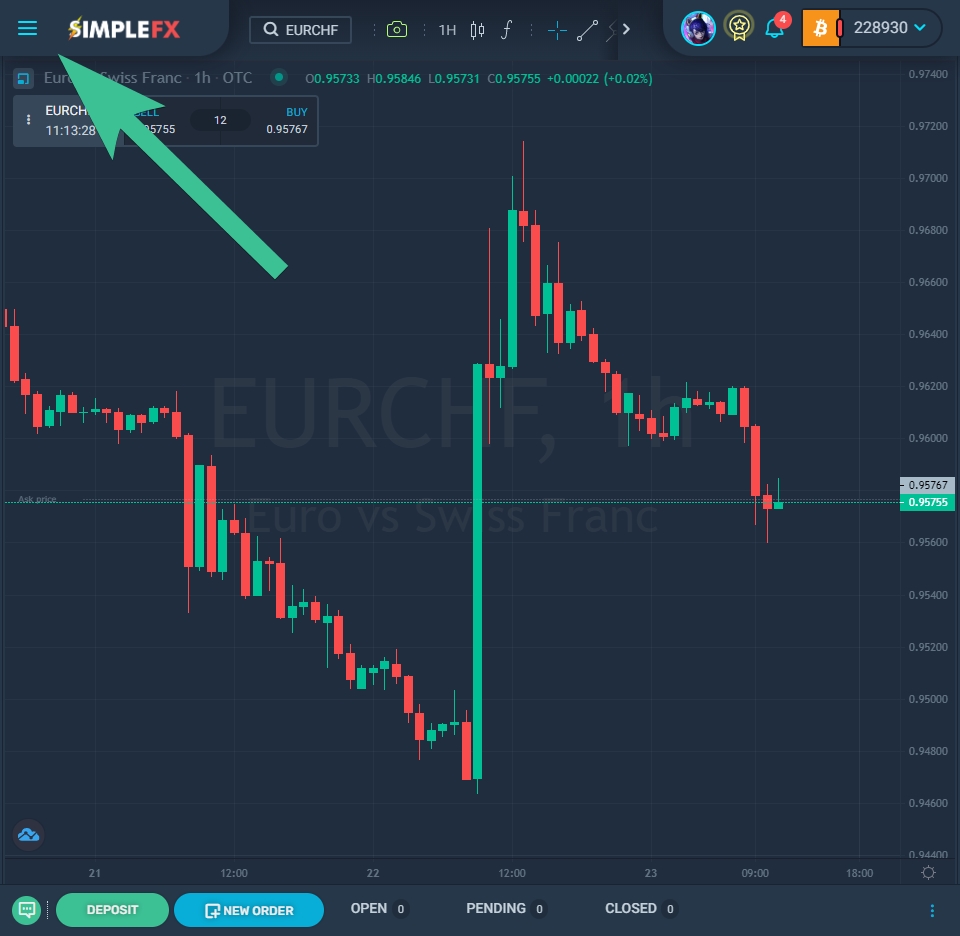
- Click the “☰” menu icon in the upper left corner and go to “Accounts & Deposits.”
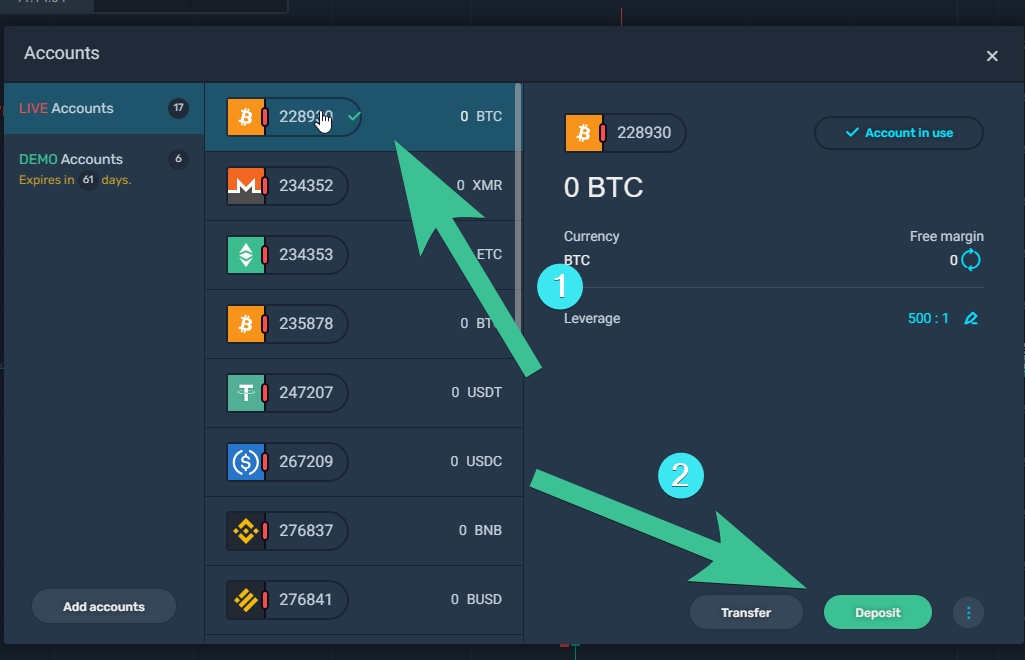
- Choose a LIVE Account you want to fund (1) and click the deposit button (2)
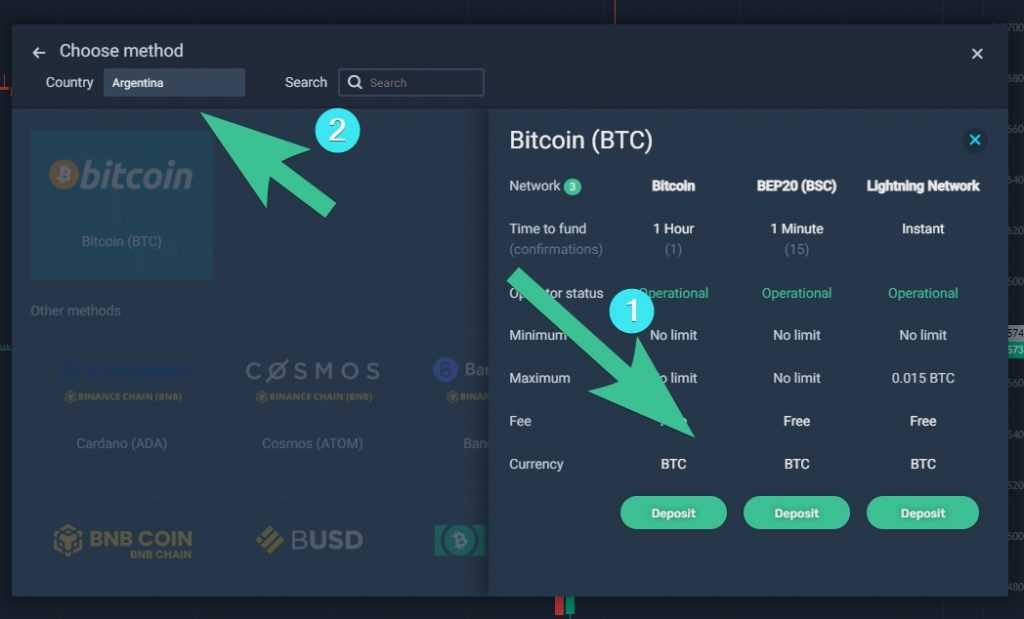
- Select your country of residence (1) and the network (2). For BTC, we support Bitcoin, BEP20 (Binance Smart Chain), and Lightning Network. Make sure your wallet or exchange supports the payment method you choose.
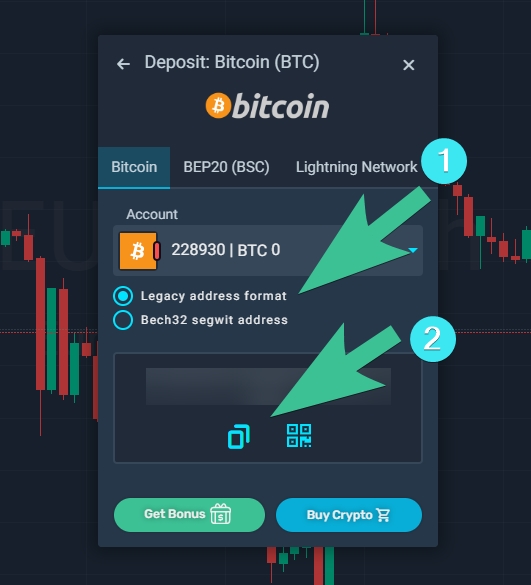
- Choose the address format for BTC (1), and copy and paste it to the wallet you’re sending your tokens from. You can also use a QR code for mobile wallets.
How to Deposit with SimpleFX Mobile App
You can trade with SimpleFX using native apps for Android, iOS, or HarmonyOS. Here’s how to fund your wallet using a mobile app.
- Tap the menu button at the bottom of the app.
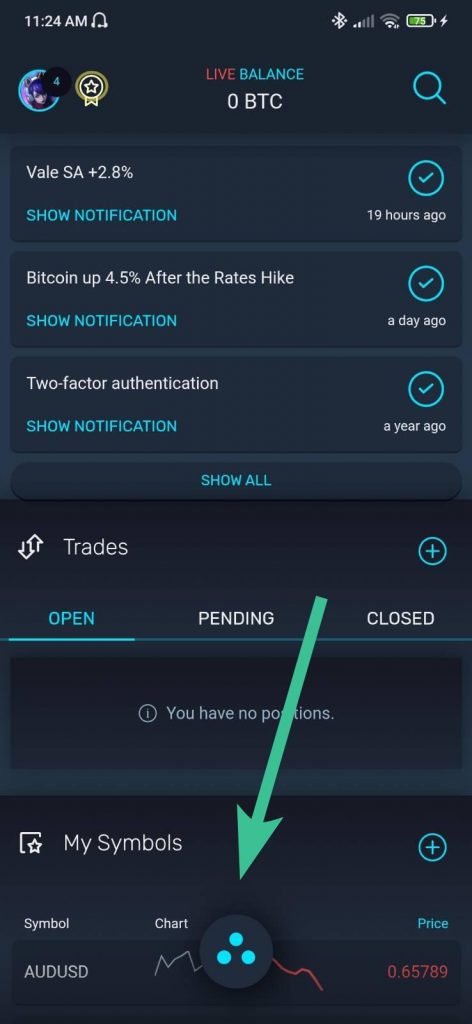
- Go to “ACCOUNTS & DEPOSITS”
- Pick a LIVE account you want to fund.
- Copy the wallet address and paste it to the wallet you are sending your tokens from. If you are using another mobile device, you can use a QR code for your convenience.
2. We talk to our customers only through email LiveChat
All our communication comes from addresses in the @simplefx.com domain. You can also talk with us through LiveChat on our simplefx.com and app.simplefx.com pages.
You can also receive messages from our affiliates. If you want to confirm they are our representatives, write an email to partnership@simplefx.com.
Neither SimpleFX nor our affiliates include payment addresses in emails or other messages. If you see such a message, please ignore it, and contact us so we can warn other users about the threat.
You can also find us on Facebook, Twitter, and TikTok. However, we never solve any individual problems of our customers and specifically answer questions about payments. Our social media editors will always direct you to the support team, usually pointing at support@simplefx.com or LiveChat.
That’s it. SimpleFX will never send you any deposit address. The only way to fund your wallet is to log into the SimpleFX WebTrader or SimpleFX Mobile app.
