


The 200,000 traders worldwide who trade with SimpleFX love our UX. We hope you will like it even more with our new alternative Light Theme. The dark background has always been a distinguishing feature of our flagship app. Now the award-winning SimpleFX WebTrader is available with a completely new Light Theme.
As usual, here at SimpleFX, we’ve been way ahead of the curve. We’ve been operating using our Dark Theme for five years now, while Apple released it’s revolutionary “Dark Mode” in September 2019, with iOS 13. It’s great to use a design ahead of Apple and lead the design innovation 🙂
However, there’s a large group of traders who are used to a white background for their trading console. Especially for them, we have introduced an alternative version.
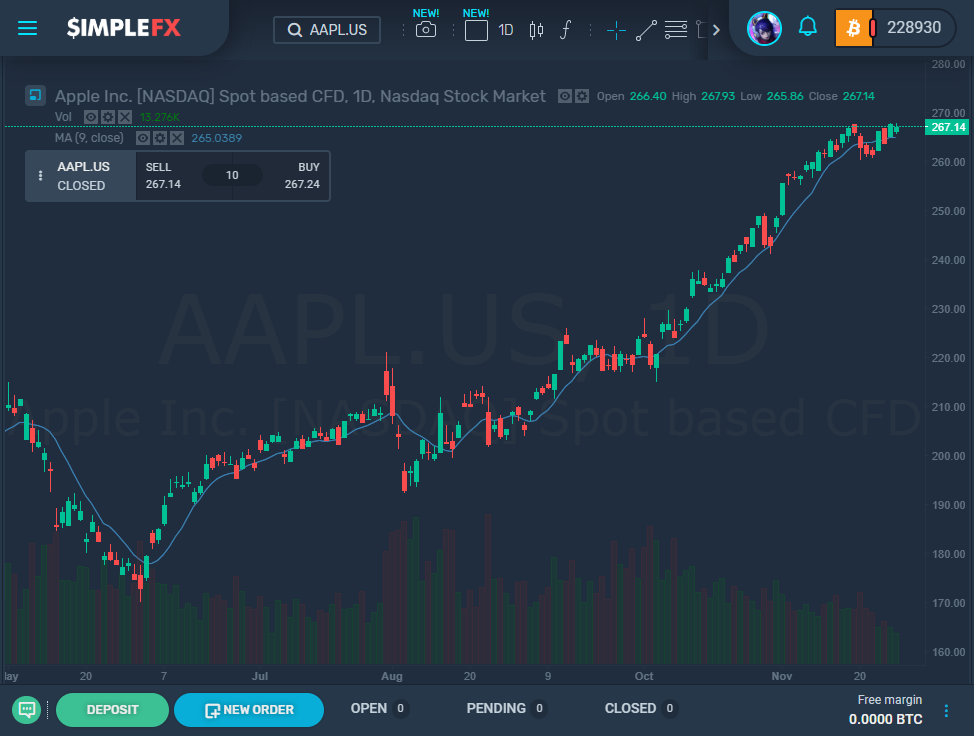
Here’s how SimpleFX WebTrader Apple stock chart looks in our traditional Dark Theme.
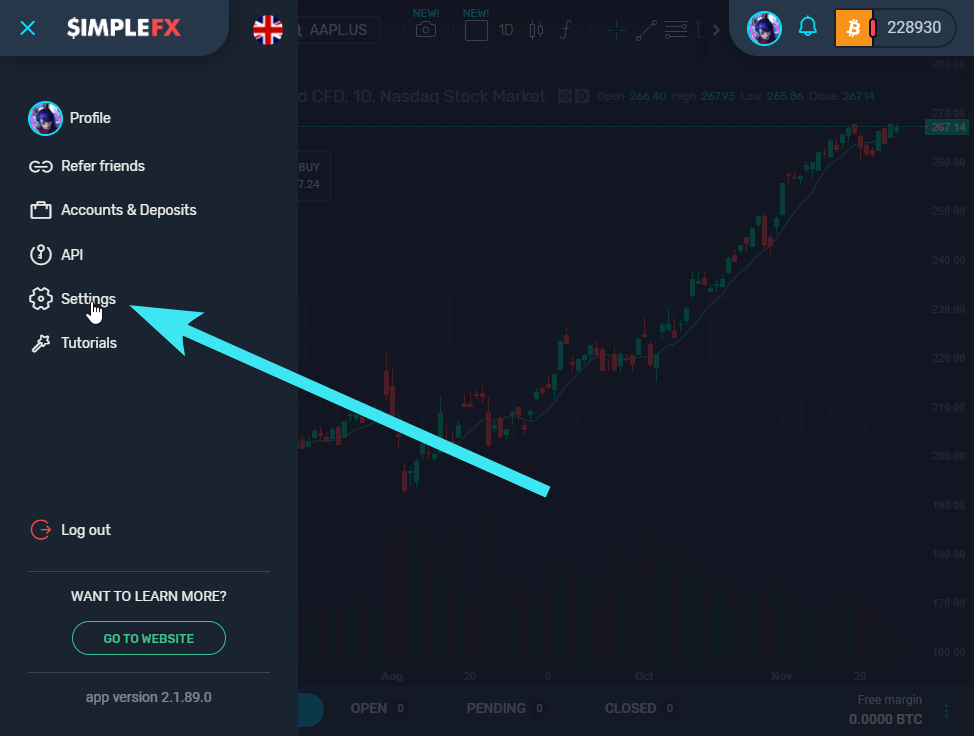
To turn the Light Theme on, go to the “Settings” in the slide-in menu.
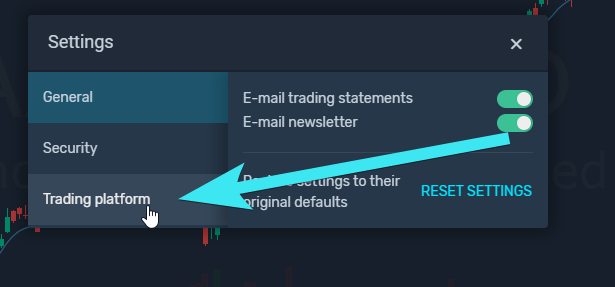
Then choose the “Trading Platform” tab.
And check the “Light” radio button.
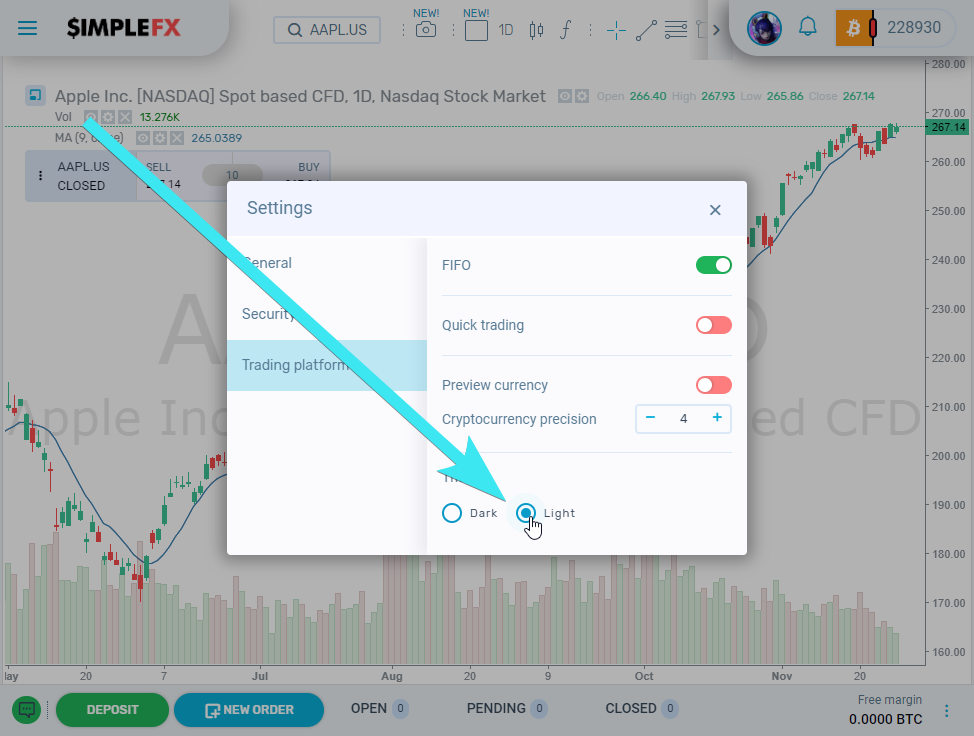
Voilà! That’s it, you get completely new trading experience with just one click. The app will remember your choice, and the new theme will be active on all devices that use the desktop version of SimpleFX WebTrader.
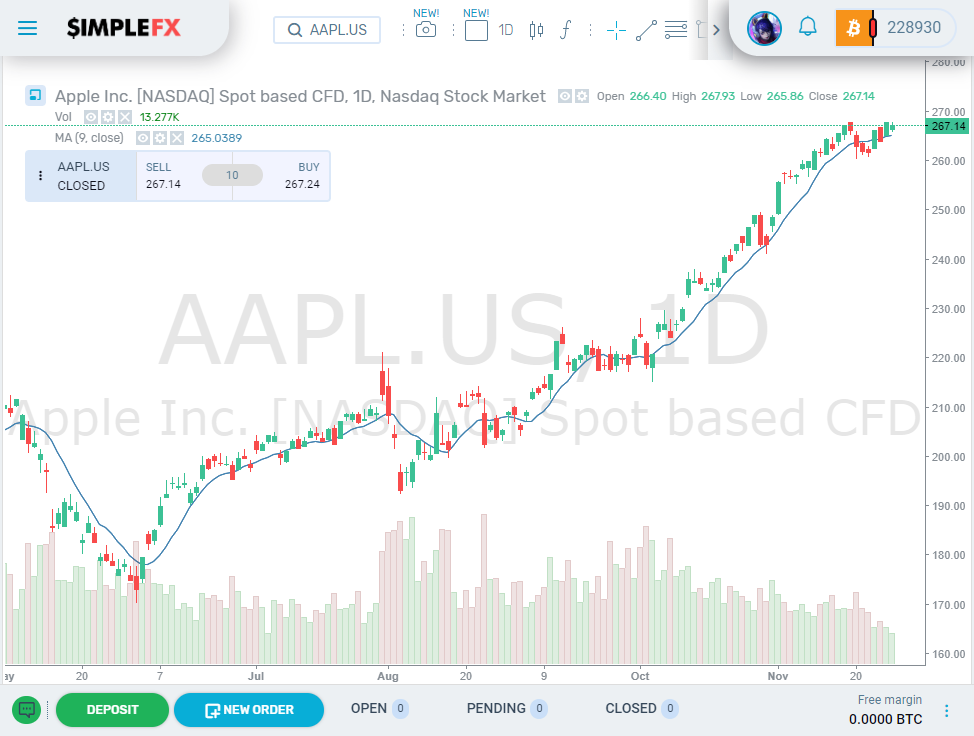
Here’s the Apple chart with Light Theme.
You can always go back to Dark Theme hitting the “Dark” radio button.
Light Theme on mobile devices
To use a light theme on your mobile, you need to activate it independently. First, tap your avatar to view your profile.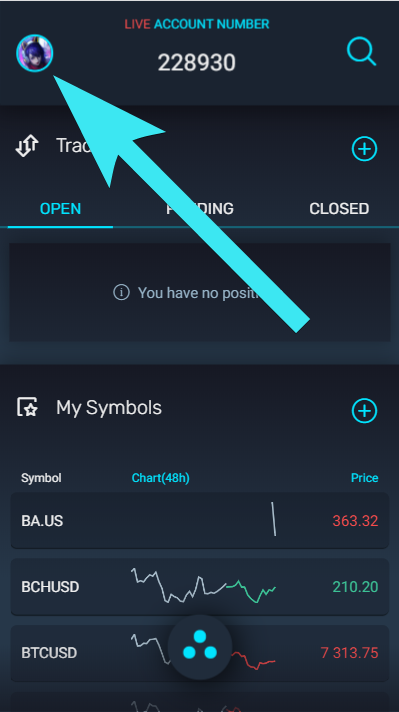
Then tap the settings icon.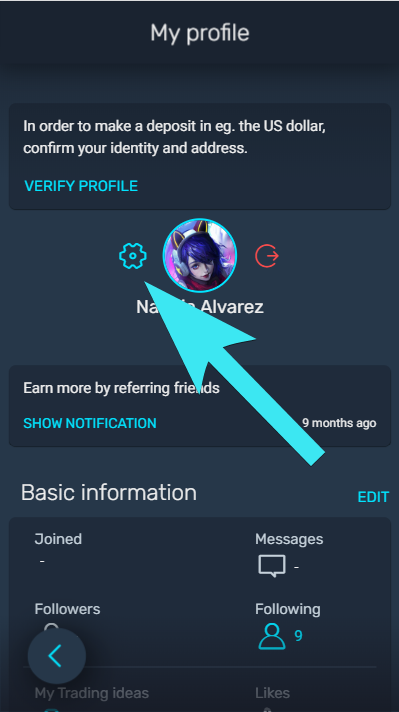
Now, scroll down and choose the “Light” theme.
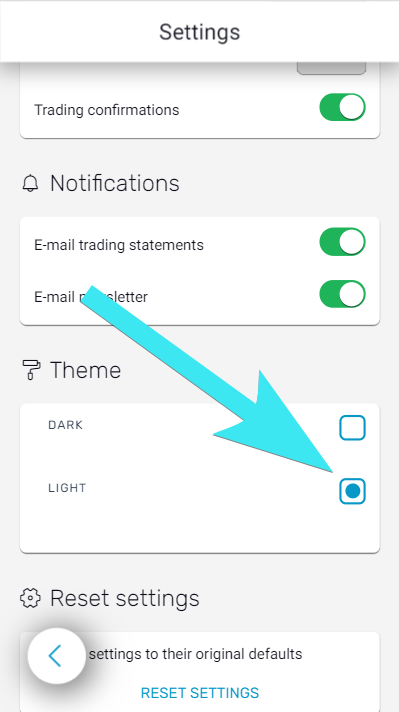
Now, this theme is going to be active on all mobile devices you use with this account. You can go back to Dark Theme anytime.
