Close Menu
SimpleFX BlogSimpleFX Blog
    Facebook X (Twitter) Instagram
    Tuesday, January 13
    Facebook X (Twitter) LinkedIn Telegram YouTube
    SimpleFX BlogSimpleFX Blog
    Banner
    • Home
    • News
    • Tutorials
    • Updates
    • Trading Academy
    • Trading Schedule
    SimpleFX BlogSimpleFX Blog
    Home » Multicharts – introducing an easy multitasking feature
    Tutorials

    Multicharts – introducing an easy multitasking feature

    Natalia AlvarezBy Natalia AlvarezApril 17, 2019Updated:April 17, 2019No Comments1 Min Read
    Facebook Twitter Pinterest LinkedIn Tumblr Email Telegram Copy Link

    Multicharts are a great feature for desktop and laptop trading, making SimpleFX a truly multiplatform tool. Here’s how it works.
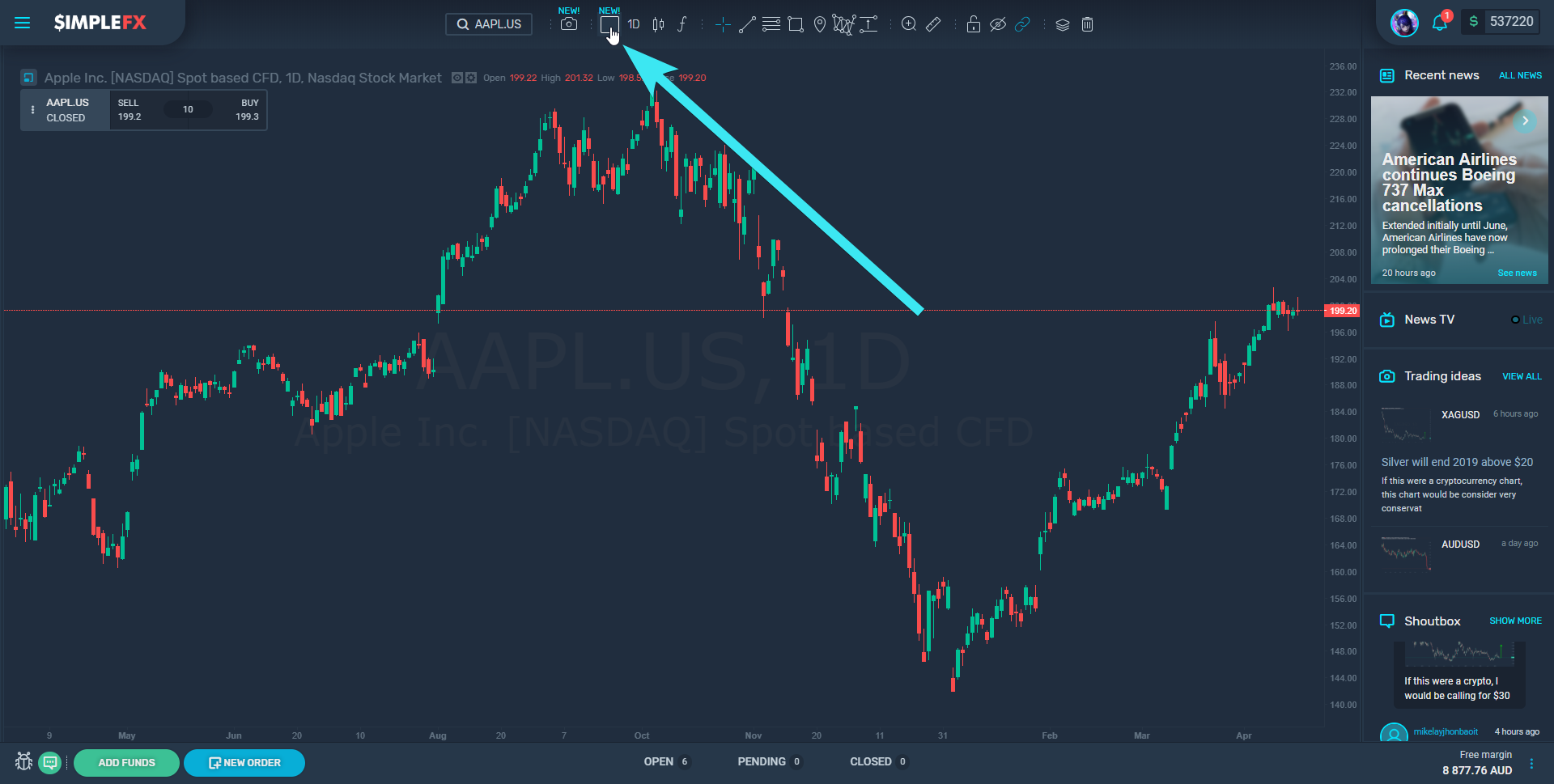
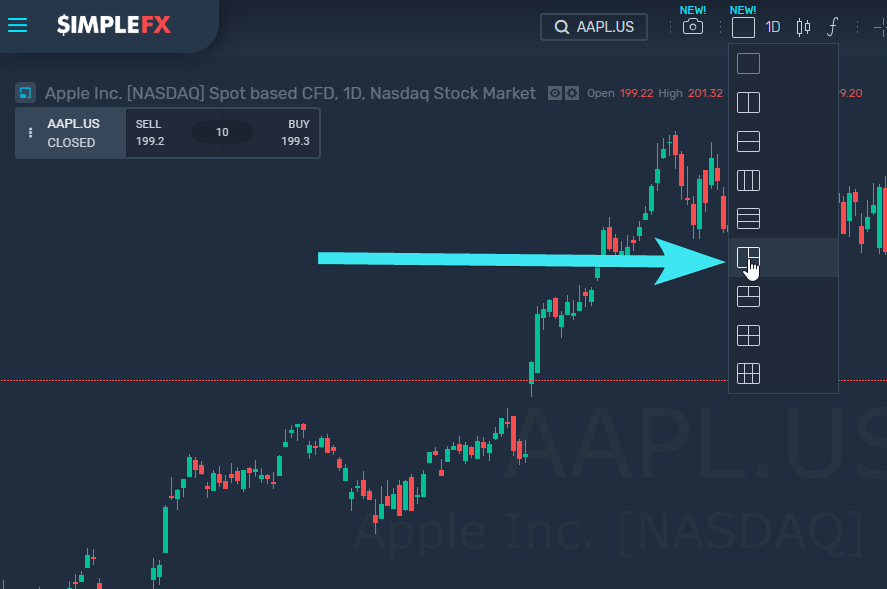
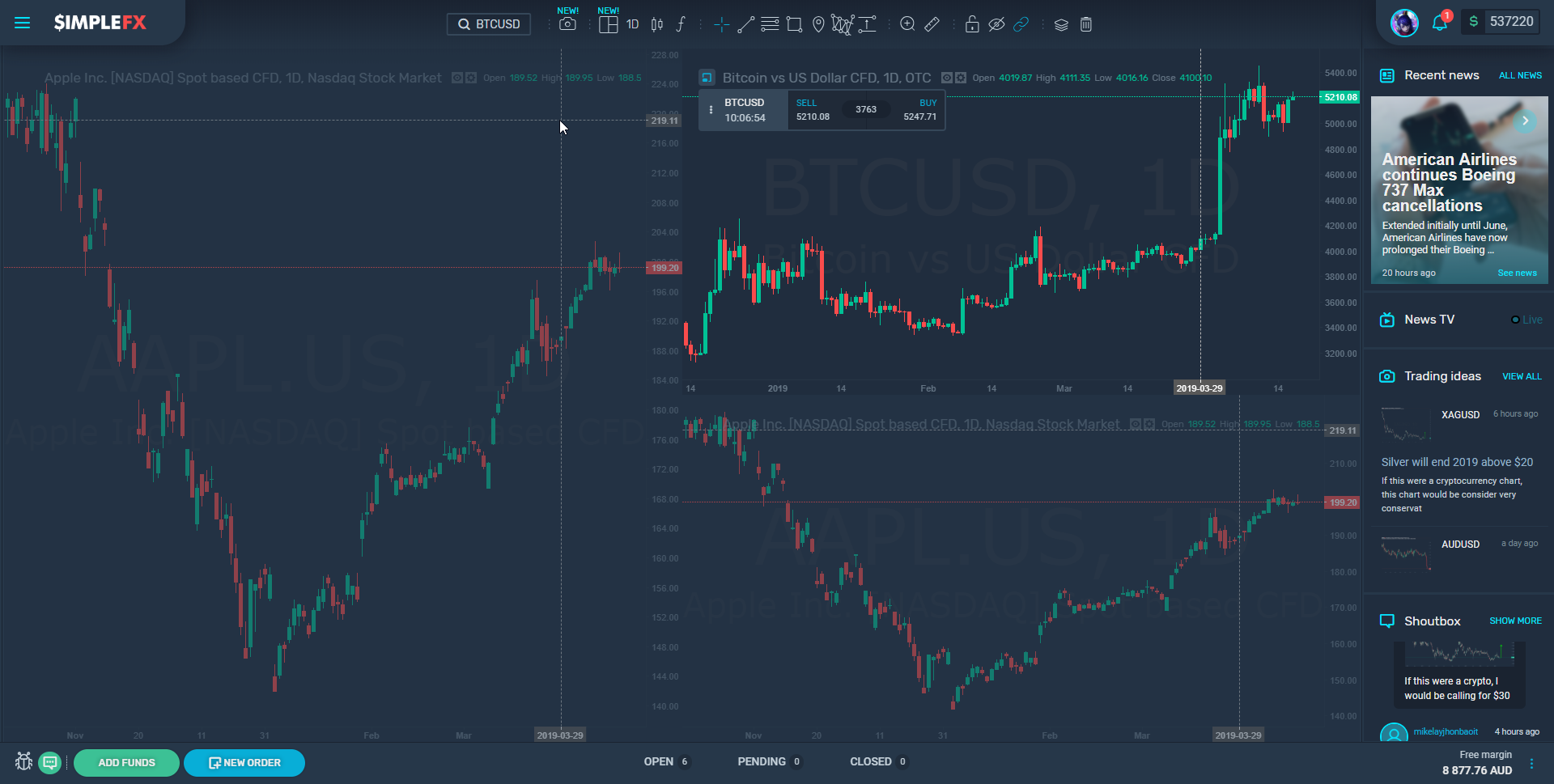
    Click the icon at the top of the screen. As a default, the one chart view is set. You can change it to many different layouts. I choose to split my screen into three.
    You can control each window, search for the symbol, choose timeframe, chart type, as well as use the technical analysis drawing tools and indicators.
    Hope you like the new feature. Let us know, what you think.

    featured
    Share. Facebook Twitter Pinterest LinkedIn Tumblr Email Telegram Copy Link
    Previous ArticleAmerican Airlines continues Boeing 737 Max cancellations
    Next Article France will ask EU partners to adopt its cryptocurrency rules
    Natalia Alvarez

    Related Posts

    Over 30 new CFD stocks on SimpleFX!

    September 12, 2025

    Crypto Month on SimpleFX – get a cashback for trading cryptocurrencies!

    August 20, 2025

    Trading Calculator on SimpleFX: Available everywhere!

    August 11, 2025
    Leave Us a Review
    Review us on
    App Store
    Google Play
    Copyright © 2014 - 2025. 8Tech SVG Ltd (formerly SimpleFX Ltd) with registration number 22361 BC 2014 with registered address at Beachmont Business Centre, Suite 404, Kingstown VC0100, Saint Vincent and the Grenadines
    • SimpleFX WebTrader
    • Unilink Affiliate Tracker

    Type above and press Enter to search. Press Esc to cancel.