


Trading Ideas (TI) is a brand new SimpleFX feature that allows you to share your views, opinions, strategies, and analysis with just a few clicks. In this post, I’ll explain how to create and share your Trading Ideas.
If you’d like to know how to browse TIs published by others and how to follow your favorite traders read this post.
- Use the drawing tools to show your Trading Idea. Add some short descriptions. And click the “camera” icon at the top of the app.
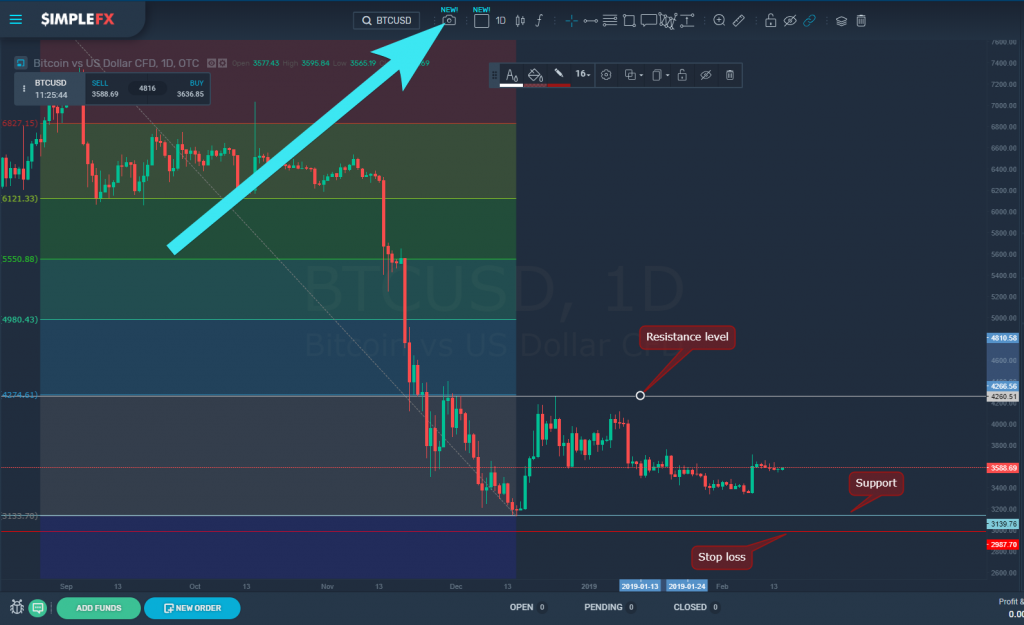
- You’ve made a snapshot of your analysis. Now describe what you think in a brief and understandable way:
– choose the type of your idea: “no direction”, “short”, “neutral”, or “long”
– type in a title
– provide a short description
– choose whether to disable comments
– finally, click “Save”.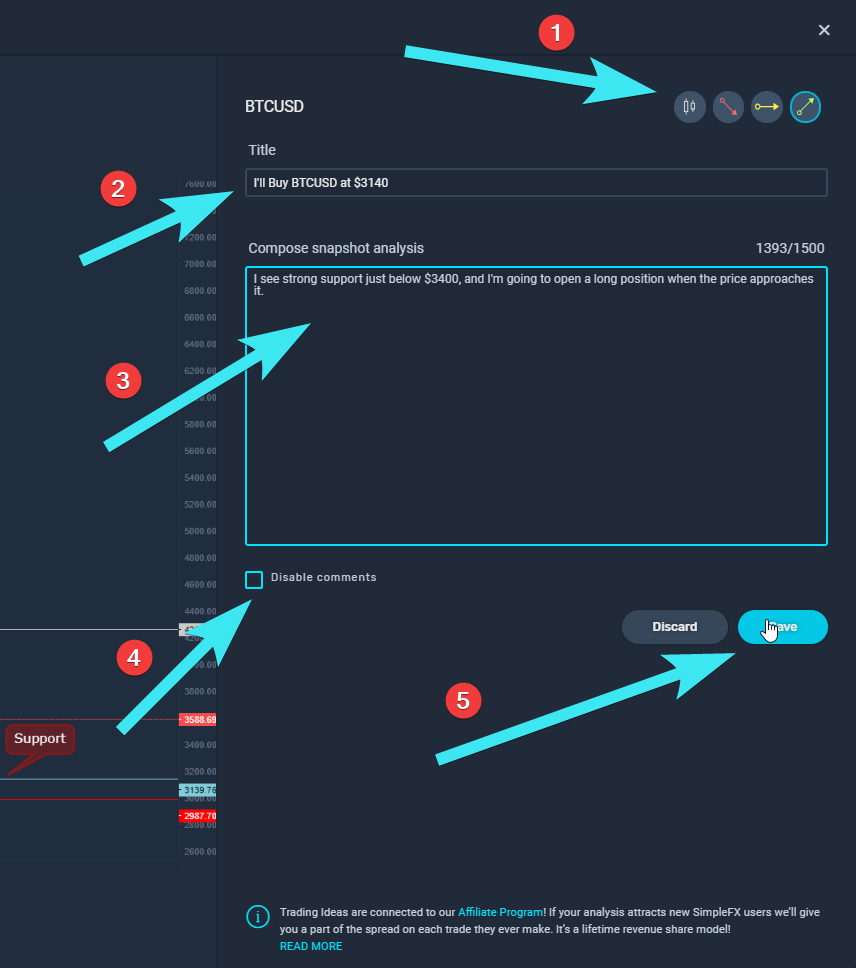
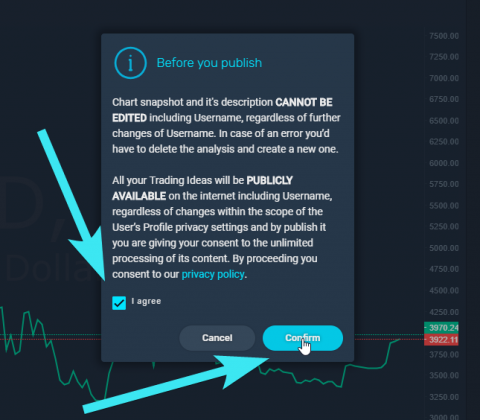
- Before you publish, you need to agree to Trading Ideas terms:
– you cannot edit a Trading Idea once it’s published, but you can delete it and create a new one
– your Trading Ideas are publicly available, even if your trading profile is private. All of your Trading Ideas will be deleted once you remove your trading account
– check “I agree” box and click the “Confirm” button to publish your Trading Idea
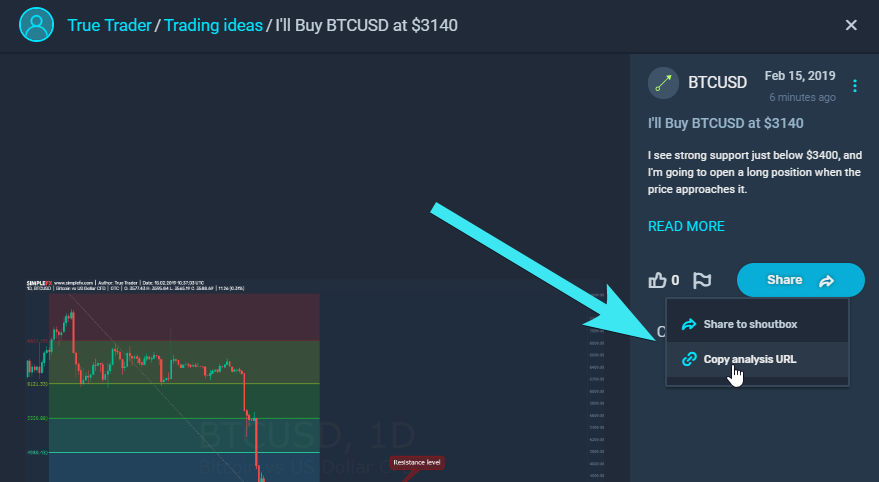
- Share your Trading Idea. You can either:
– post it in the SimpleFX shoutbox
– get an analysis URL – your personal referral link connected to your Unilink.io account. If anyone sees your Trading Idea, clicks it and signs up to SimpleFX, you’ll get a lifetime revenue from that account. Learn more in this post.
You can manage your Trading Ideas through your Profile. Just click “Profile” in the slide in the menu (☰).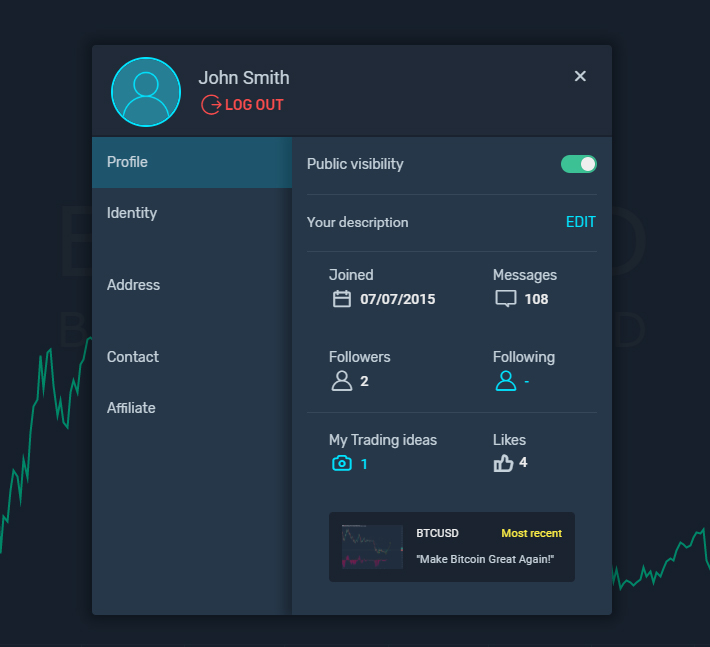
Here, you can see the number of the Followers you have, as well as access the Trading Ideas of the people you Follow. Click “My Trading Ideas” to see all the chart snapshots and analysis you have published.
That’s it. Give the Trading Ideas a try and let us know what you think.
Each mont you can win money posting and sharing your Trading Ideas.
