Close Menu
SimpleFX BlogSimpleFX Blog
    Facebook X (Twitter) Instagram
    Tuesday, January 13
    Facebook X (Twitter) LinkedIn Telegram YouTube
    SimpleFX BlogSimpleFX Blog
    Banner
    • Home
    • News
    • Tutorials
    • Updates
    • Trading Academy
    • Trading Schedule
    SimpleFX BlogSimpleFX Blog
    Home » How to use the “quick trading” feature in SimpleFX WebTrader
    Tutorials

    How to use the “quick trading” feature in SimpleFX WebTrader

    Zach WrightBy Zach WrightAugust 31, 2018Updated:November 19, 2018No Comments2 Mins Read
    Facebook Twitter Pinterest LinkedIn Tumblr Email Telegram Copy Link

    Quick trading allows you to open an order with just one click, without any additional confirmations.

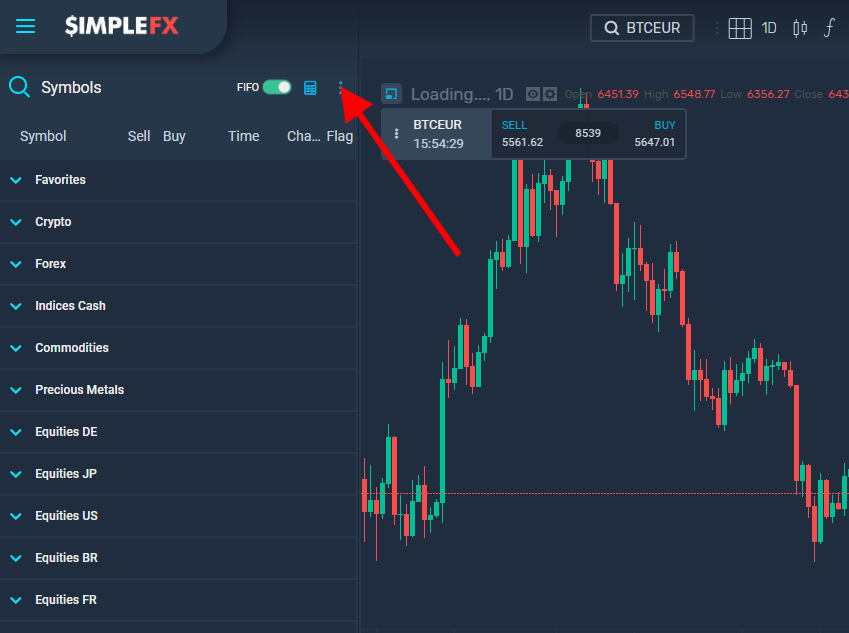
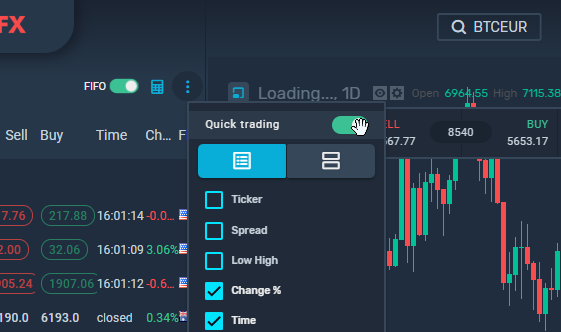
    To enable it, click on the more options button at the top right corner of your screen and turn on the “Quick trading” radio button.
    You can also do it in app settings. Click the main hamburger menu in the top left corner of your screen, go to settings, choose “Trading platform” and turn on the “Quick trading button”.
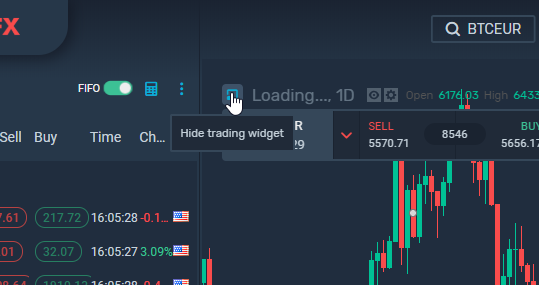
    The quick trading panel is available in every newly opened chart. It is docked in the top left corner of the chart.

    You can hide it:
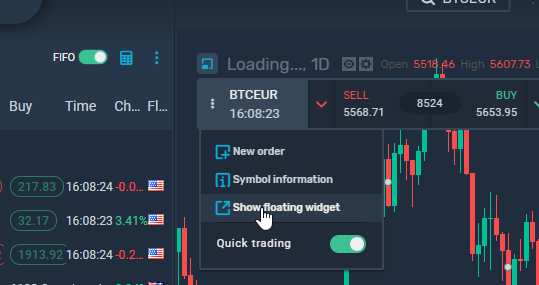
    You can also unlock it by clicking more options button on the widget
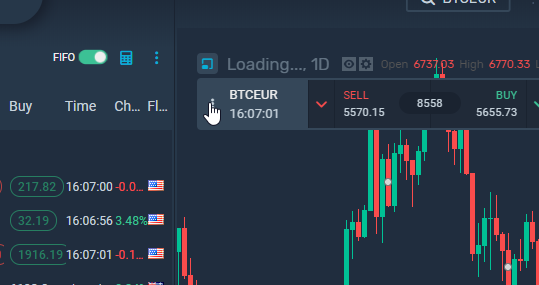
    and then clicking “show floating widget”.
    Now you can move the widget around by grabbing its left corner.
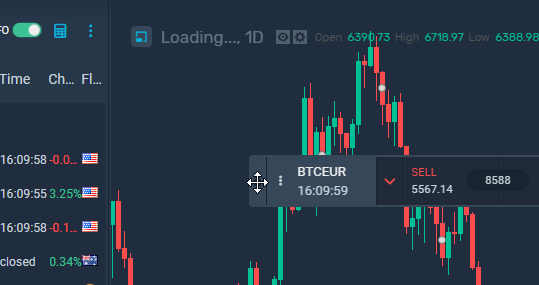
    You can switch between charts but the panel stays where you left it.

    Let’s go through the most important panel functions. In the center, there are big buy and sell buttons for placing quick market orders. Just click one of them to open a long or a short position. On the sides, there are two arrows for placing a quick pending order.
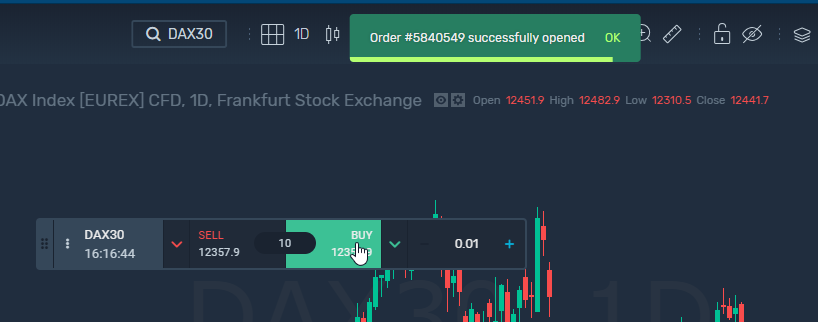
    On the right side you can adjust a trade size of orders. Just fill the price and send it. As you can see, pending order was opened.

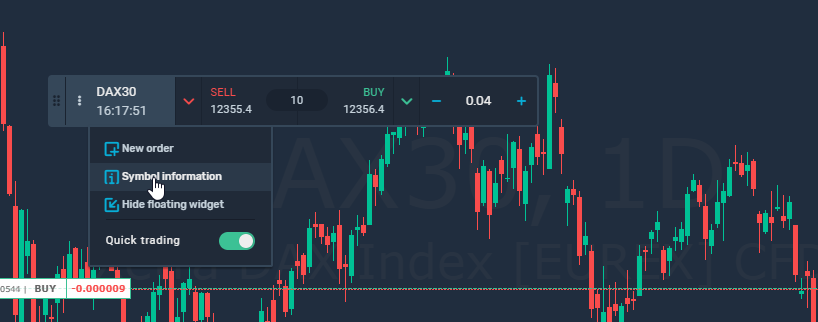
    Click “Symbol information” to open a window with the instrument’s detailed data.
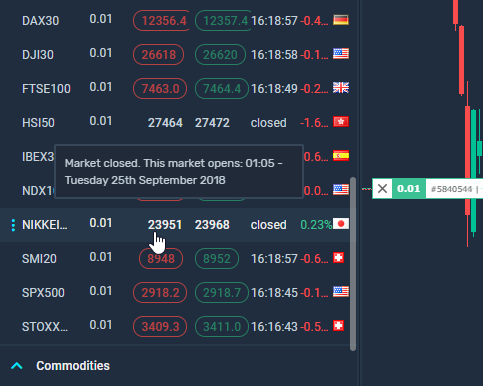
    On the trading list on the left, the color of the buttons shows if the market is open or closed for trading. A closed market turns grey.
    If you have any questions, contact our Support Team with the chat in the bottom left corner of SimpleFX WebTrader app.

    begginers desktop mobile oneclick trading quick trading quick trading feature
    Share. Facebook Twitter Pinterest LinkedIn Tumblr Email Telegram Copy Link
    Previous ArticleDespite the Slump Crypto is a Perfect Instrument for Trading
    Next Article What are the odds for ETH value to go down to zero?
    Zach Wright

    Related Posts

    Maximize Your Affiliate Profitability with SimpleFX’s New Affiliate Dashboard Component

    June 7, 2023

    Track Your Traffic. New Feature For SimpleFX Affiliates

    May 24, 2023

    SimpleFX Leverage Trading Guide

    March 17, 2023
    Leave Us a Review
    Review us on
    App Store
    Google Play
    Copyright © 2014 - 2025. 8Tech SVG Ltd (formerly SimpleFX Ltd) with registration number 22361 BC 2014 with registered address at Beachmont Business Centre, Suite 404, Kingstown VC0100, Saint Vincent and the Grenadines
    • SimpleFX WebTrader
    • Unilink Affiliate Tracker

    Type above and press Enter to search. Press Esc to cancel.